Securing Web App with Zero Trust
Cloudflare Zero Trust provides a comprehensive solution to secure your web app by controlling access, protecting data, and optimizing performance. Here is a detailed guide on how to secure your web app using Cloudflare Zero Trust.
Step 1: Register and Set Up a Cloudflare Account
- Register for a Cloudflare account: Visit Cloudflare and create a new account if you don't have one.
- Add your site to Cloudflare: Once registered, you'll be prompted to add your domain to Cloudflare. Cloudflare will automatically scan and add your existing DNS records.
Step 2: Configure Your Web App on Cloudflare
Option 1: Deploying Web App Directly on Cloudflare
- Choose the appropriate plan: Cloudflare offers various plans from free to enterprise. Select the plan that best suits your needs.
- Configure DNS: Ensure all your DNS records are accurate and point to the correct server hosting your web app.
- Enable HTTPS: To ensure data transmission security, enable HTTPS. Cloudflare provides free SSL certificates.
Option 2: Pointing Reverse Proxy to Cloudflare
- Configure reverse proxy: Set up a reverse proxy on your server to route requests to Cloudflare.
- Update DNS records: Change your DNS records to point to Cloudflare’s IP addresses instead of your origin server.
- Verify the connection: Ensure all requests to your web app are routed through Cloudflare.
Option 3: Using Zero Trust Tunnel on Cloudflare
-
Install Cloudflare Tunnel (Argo Tunnel):
- Log in to Cloudflare Dashboard: Navigate to "Zero Trust" and select "Access" then "Tunnels".
- Create a new tunnel: Follow the instructions to create a new tunnel. You will receive a command to run on your server.
- Install cloudflared: On your server, install and run the
cloudflaredcommand to establish the connection to Cloudflare.
-
Configure the application: Once the tunnel is set up, configure your application to only accept connections from the Cloudflare Tunnel.
-
Set up security configurations: Establish security policies to control access based on user identity, device, and context.
Step 3: Set Up and Configure Cloudflare Zero Trust
Set up Access Groups
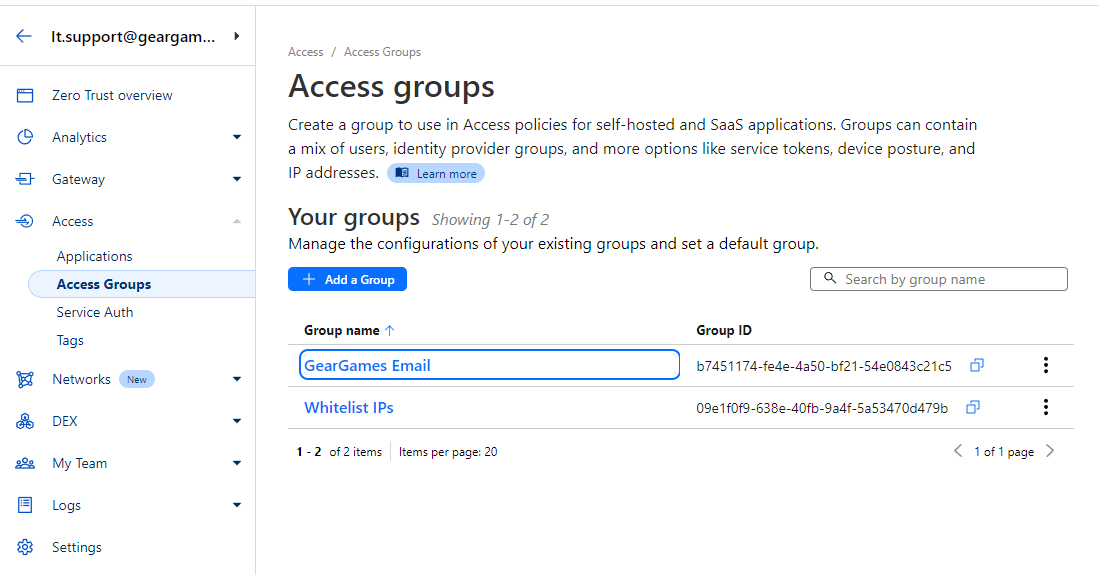
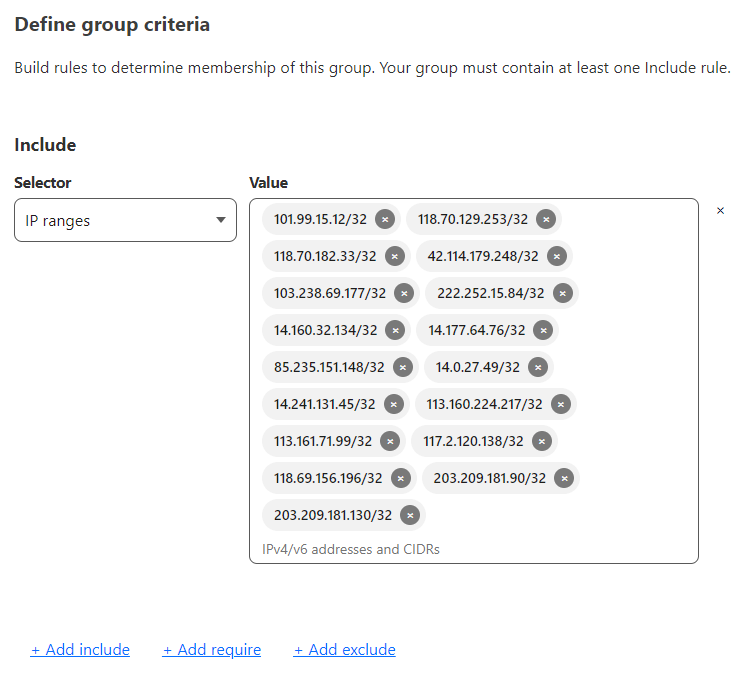
- Create Whitelist IPs group:
- Go to Zero Trust Dashboard: Navigate to "Access" and then "Groups".
- Create a new group: Name it "Whitelist IPs".
- Add allowed IP addresses: Add the IP addresses that are permitted to access your web app.
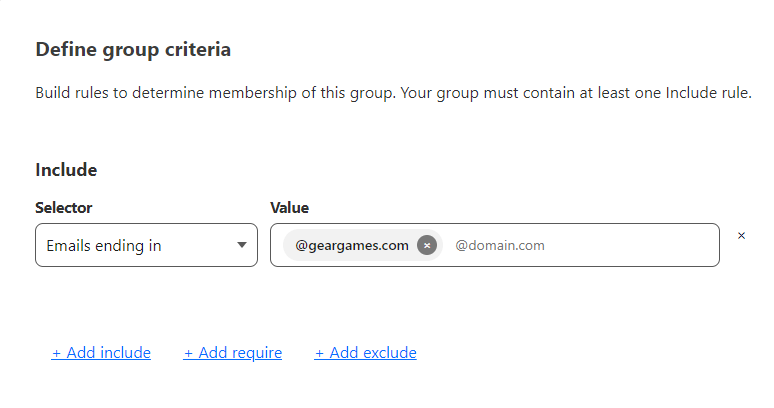
- Create geargames email group:
- Go to Zero Trust Dashboard: Navigate to "Access" and then "Groups".
- Create a new group: Name it "geargames email".
- Configure allowed emails: Set the rule to allow emails ending in
@geargames.com.
Set up Access Applications
- Add an application:
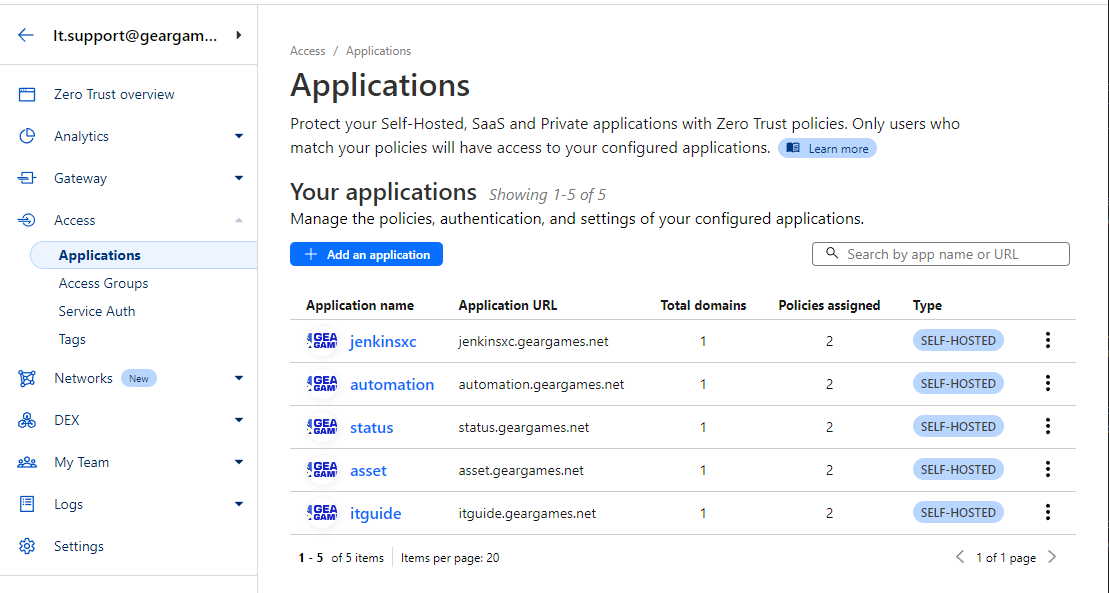
- Go to Zero Trust Dashboard: In the Cloudflare Dashboard, navigate to "Zero Trust" and select "Access".
- Add a new application: Choose "Add an application" and follow the instructions to add your web app.
- Configure access policies: Set access rules to control who can access your web app. Use policies based on user groups, IP addresses, or other factors.
- Set up Access Policies:
- Define security policies: Define security policies to control access to your applications and resources.
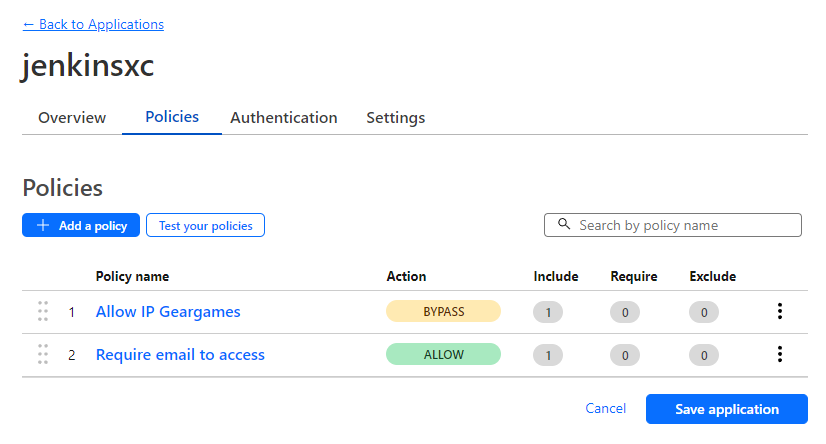
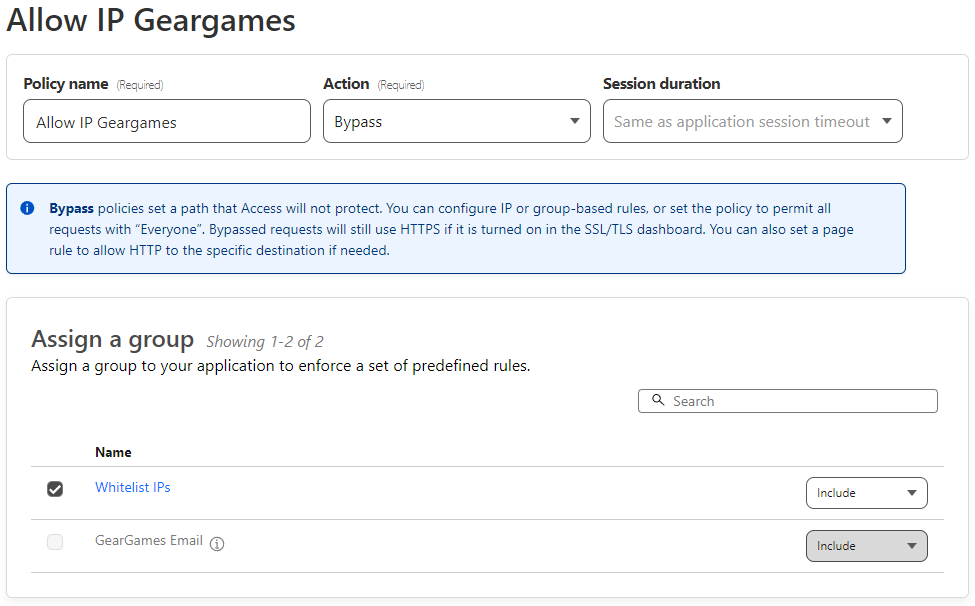
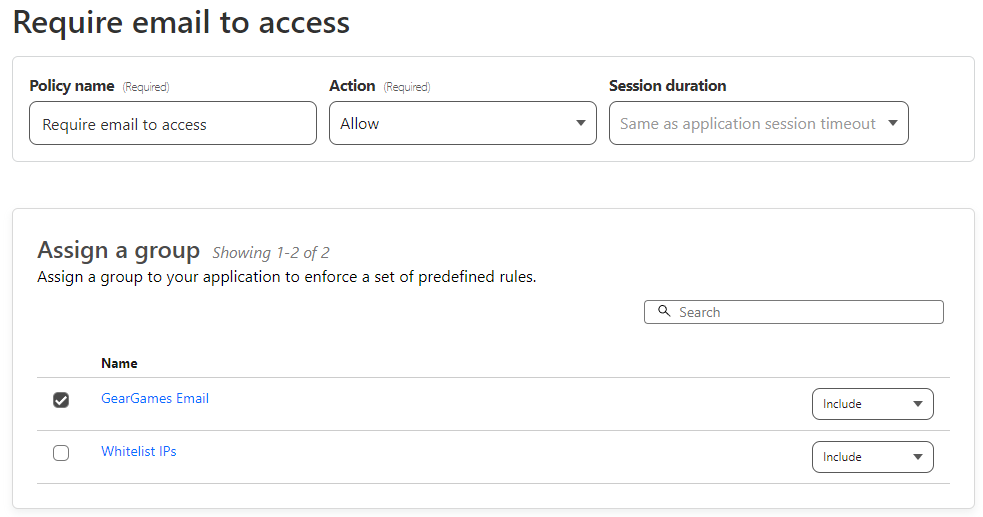
- Configure authentication requirements: Require multi-factor authentication (MFA) and use identity providers like Okta, Azure AD, or Google Workspace for user authentication.
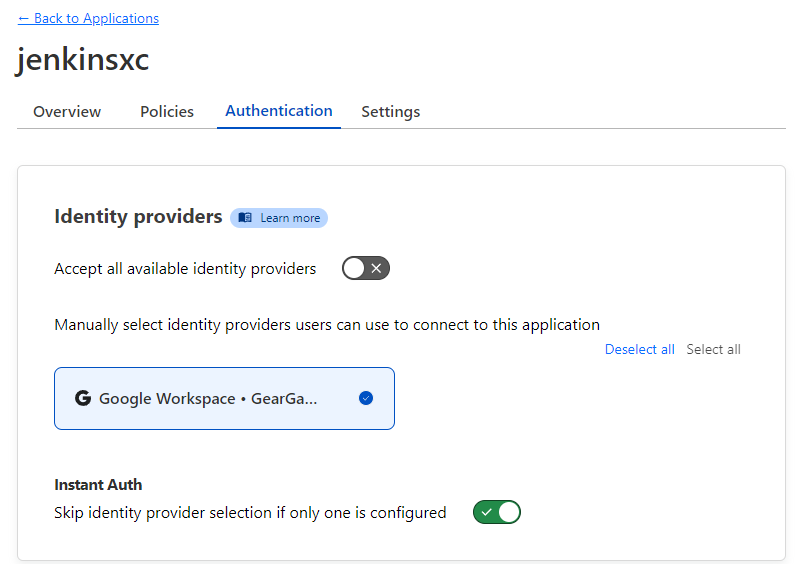
- Monitor and manage:
- Track activity: Use Cloudflare Analytics to monitor traffic and access activity to your web app.
- Update and maintain: Ensure your policies and configurations are always up-to-date to address new threats.
Step 4: Test and Evaluate
- Conduct security testing: Perform security testing to ensure that your policies and configurations are working correctly.
- Evaluate performance: Assess the performance of your web app after deploying Cloudflare Zero Trust to ensure there are no significant performance degradations.
Conclusion
Using Cloudflare Zero Trust to secure your web app is an effective and comprehensive solution. By following the steps above, you can enhance security and control access to your web app while leveraging Cloudflare's performance and security features.