Installing Certificates on Client Machines
1. Installing on Windows
- Download
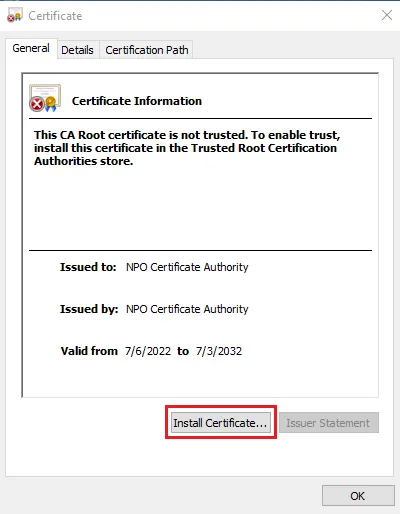
ca.pemandca.dercertificates from/etc/freeradius/3.0/certs/and distribute them to your clients. - On a Windows client, install the
ca.dercertificate by double-clicking on it and following the installation wizard.
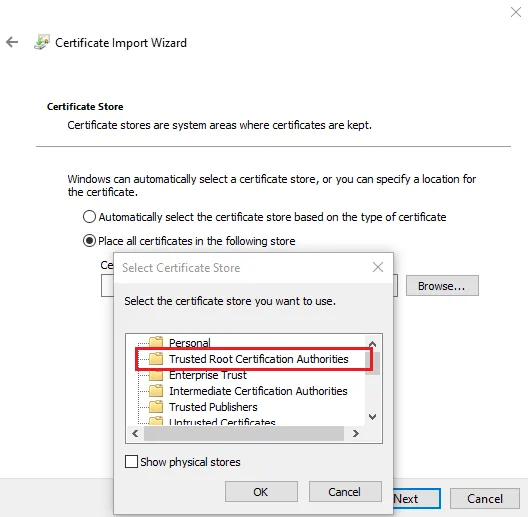
- Place the certificate in the Trusted Root Certification Authorities store.
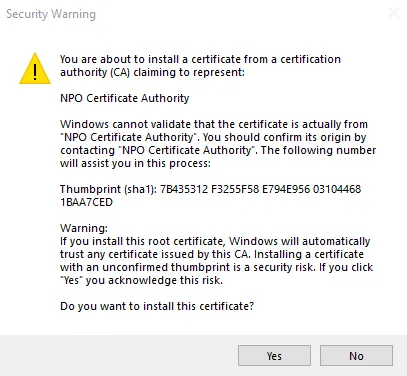
- After completing the wizard, accept the security warning.
2. Installing on Ubuntu
-
Convert the CA certificate from
.pemformat to.crtformat by executing the following command:openssl x509 -outform der -in ca.pem -out ca.crt -
Download the
ca.crtfile and place it in the/usr/local/share/ca-certificates/directory on the client machine. -
Install the certificate using:
sudo update-ca-certificates -
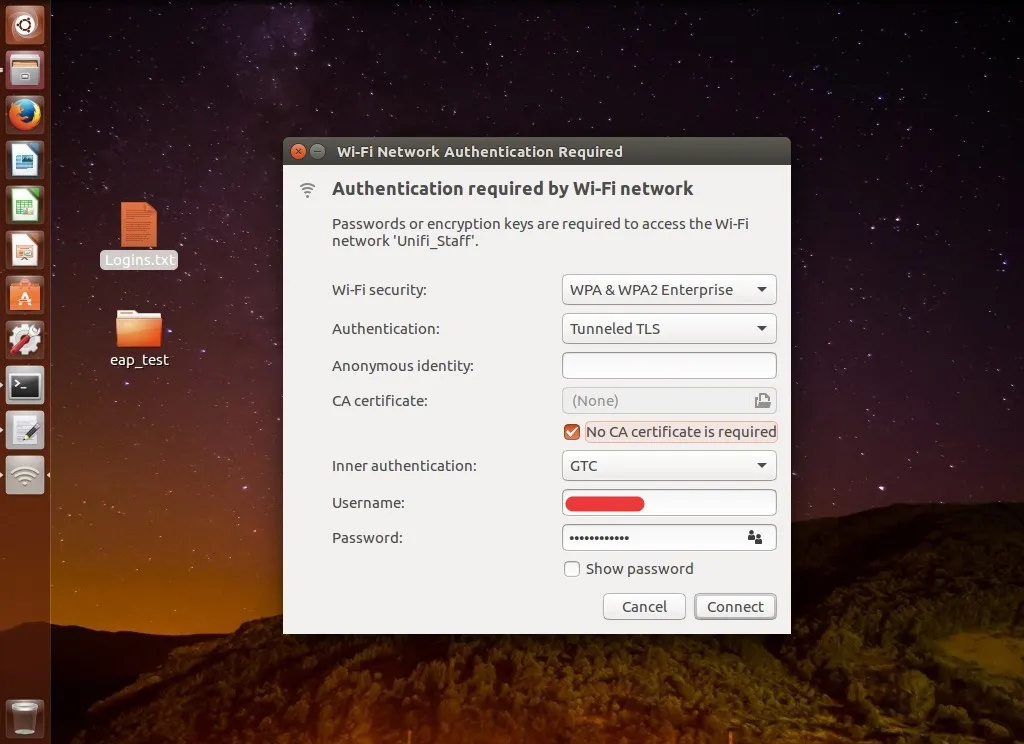
Connect to WiFi by selecting:
- Authentication: Tunneled TLS
- Inner authentication: GTC
- Username and password: Enter your credentials
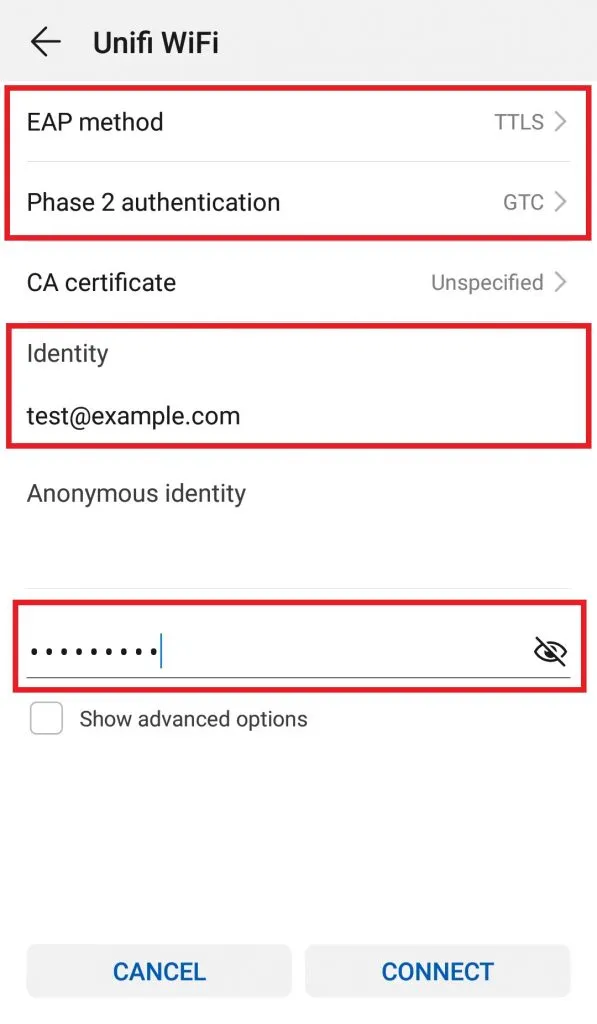
3. Setup mobile connect
4. Troubleshooting
Stopping FreeRADIUS Service
If any issues arise, first stop the FreeRADIUS service:
systemctl stop freeradius.service
Starting FreeRADIUS in Debug Mode
Run FreeRADIUS in debug mode for troubleshooting:
freeradius -X