Adjust Assign Automation
Adjust Auto Assign Automation to Replace Agent for Jira Service Management Project
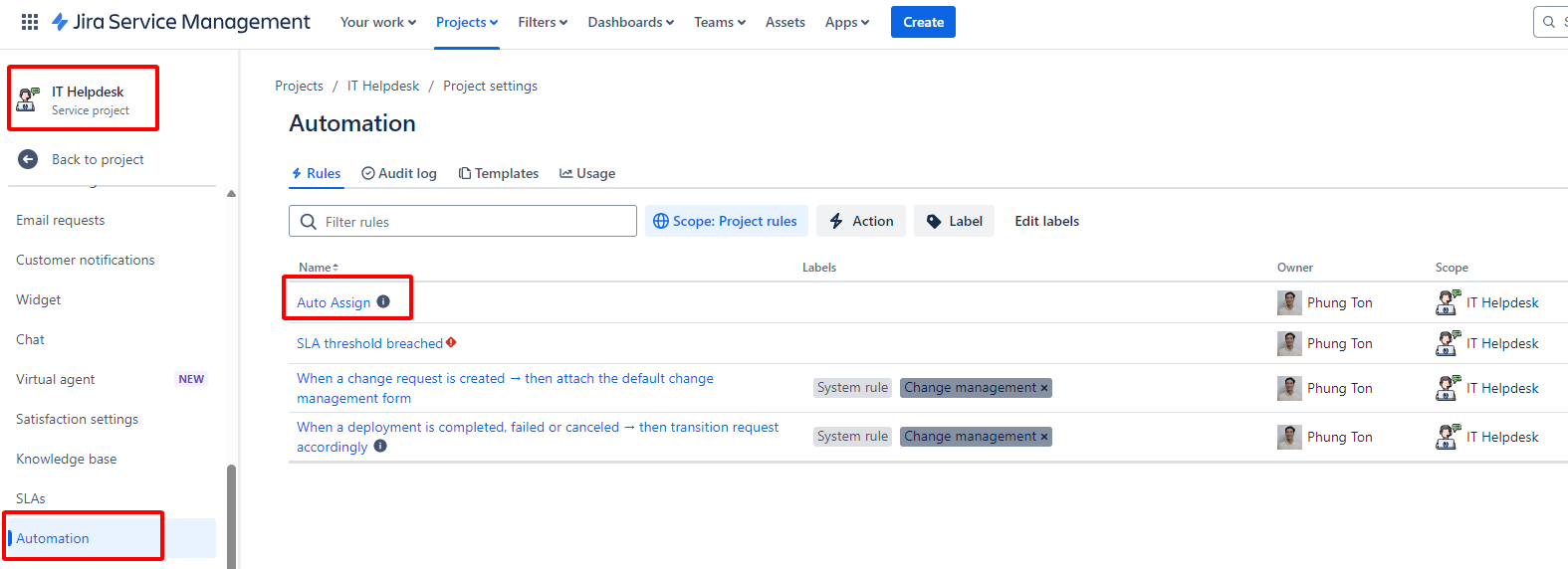
1. Access Project Settings:
- Navigate to the project.
- Go to
Project settings->Automation. - Select the
Auto Assignrule.
2. Auto Assign Interface:
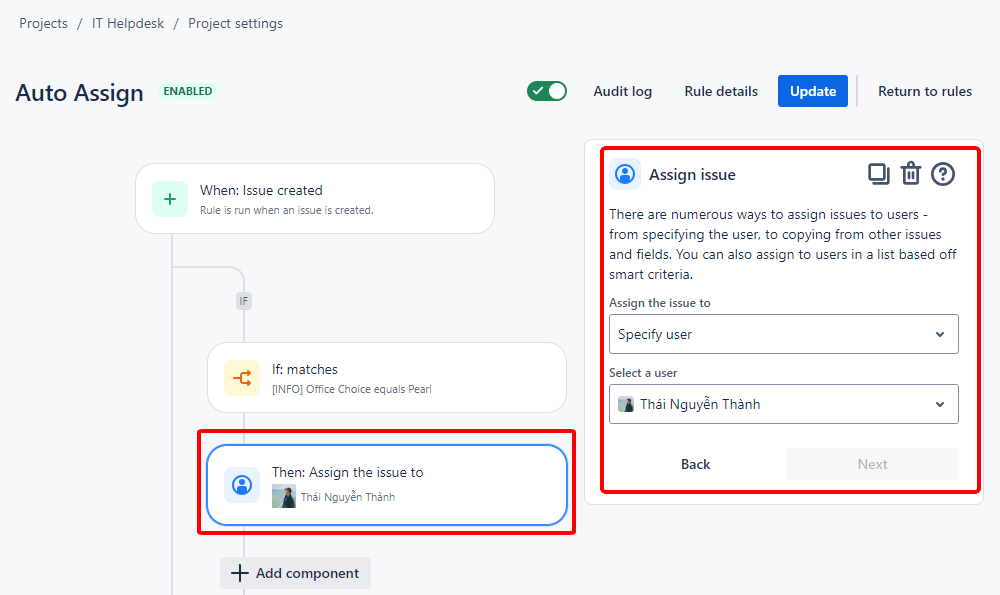
- In the Auto Assign interface, look for
Assign issuecommands related to the Agent that needs to be replaced.
3. Adjust the Agent:
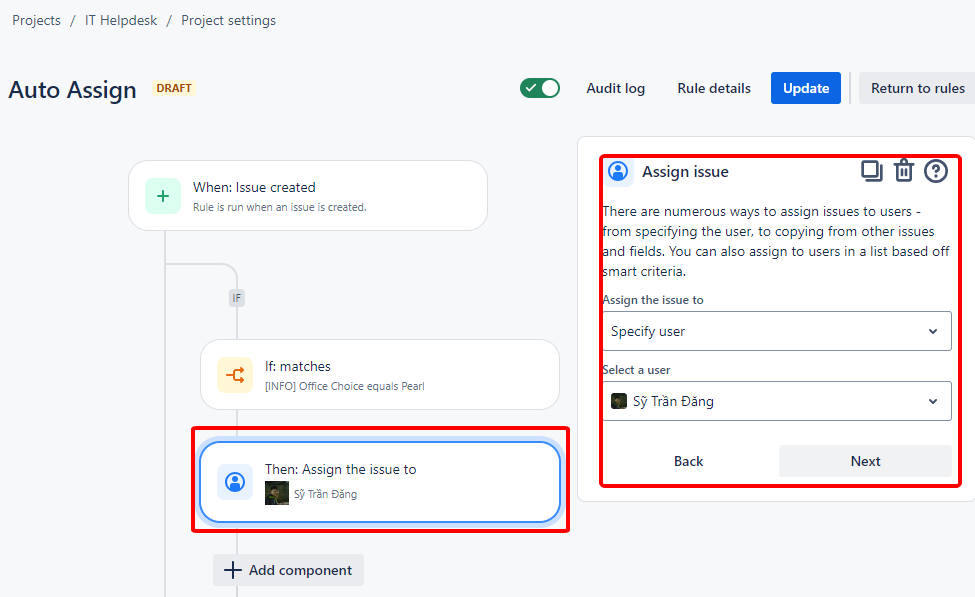
- Replace the current Agent with the new one.
- Example: Change
ThaiNTtoSyDT.
4. Update Components:
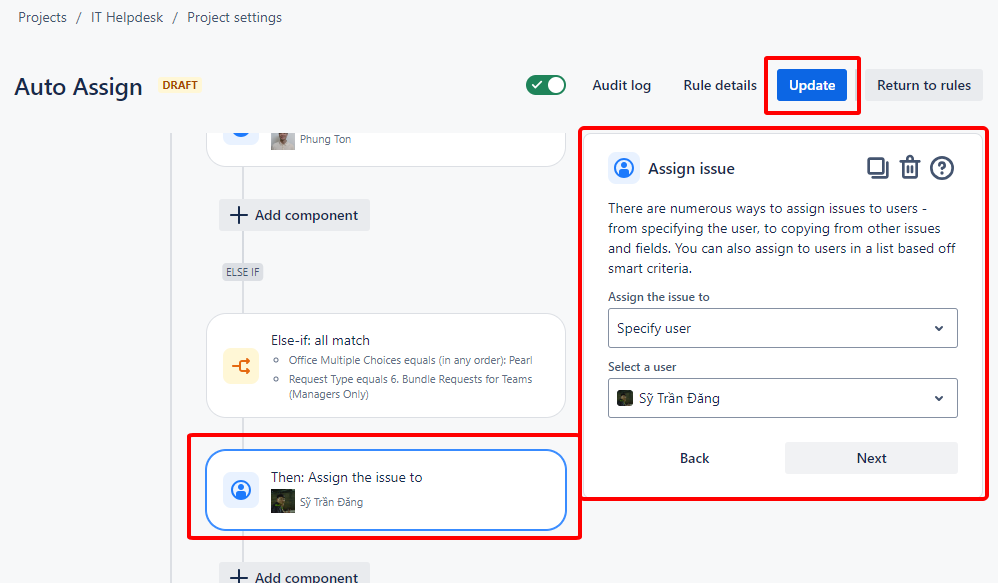
- Update the Agent for all remaining components.
- Click
Updateto apply the changes to the rule.
Note: After the Agent returns or if there are any changes, adjust the settings to reflect the current situation.