Label Printing
System Requirements:
- Windows 10 or 11 computer
- Brother P-Touch D600 label printer
- Tze251 Tape 24mm (0.94 inch) label tape
- Printer drivers installed for the Brother P-Touch D600
Default Printing Settings Adjustment:
By default, the system will print with a length of 100mm. To adjust this:
- Click on the Windows icon and select Settings.
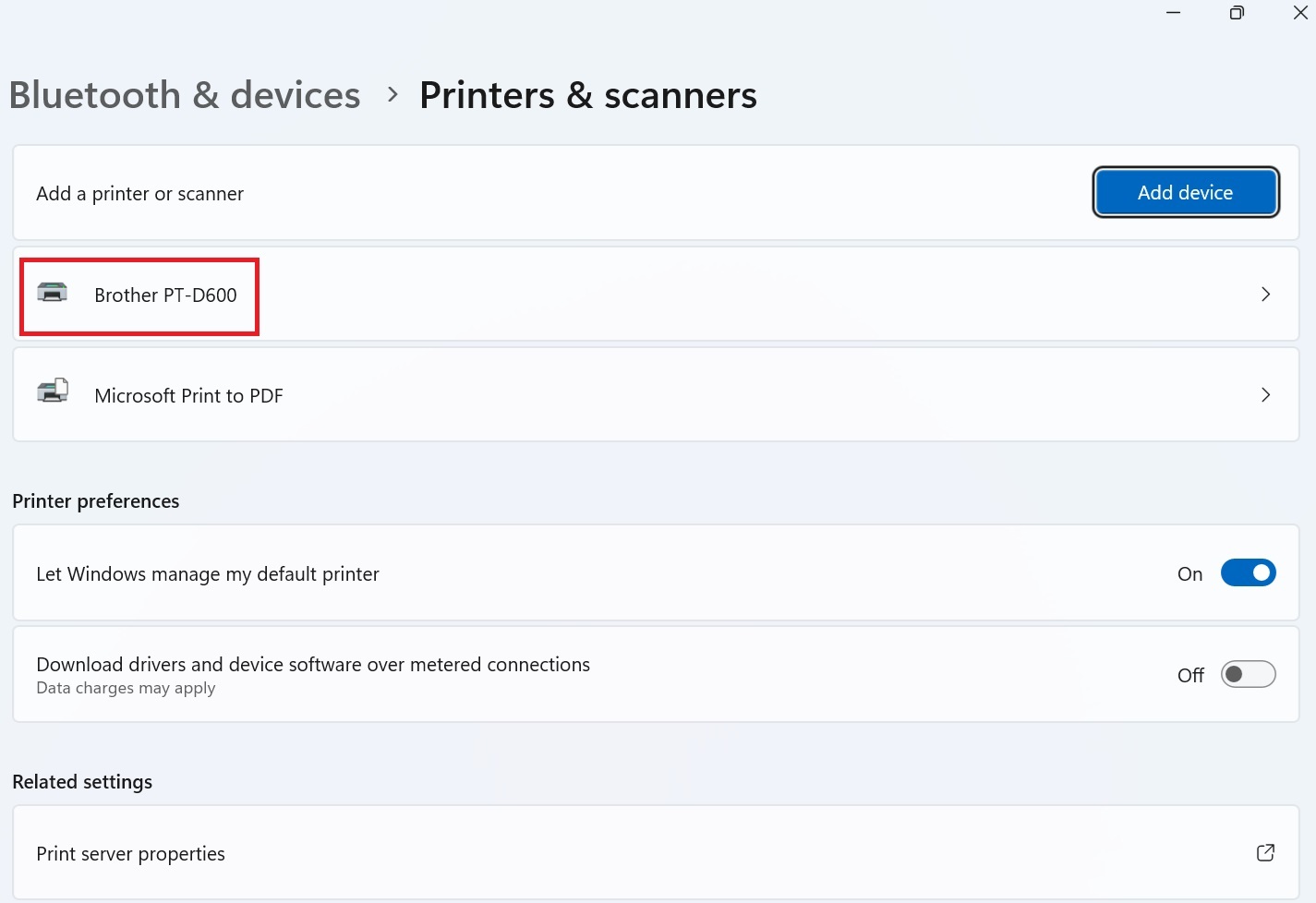
- Type Printers and scanners in the search box.
- Locate the D600 label printer in the list.
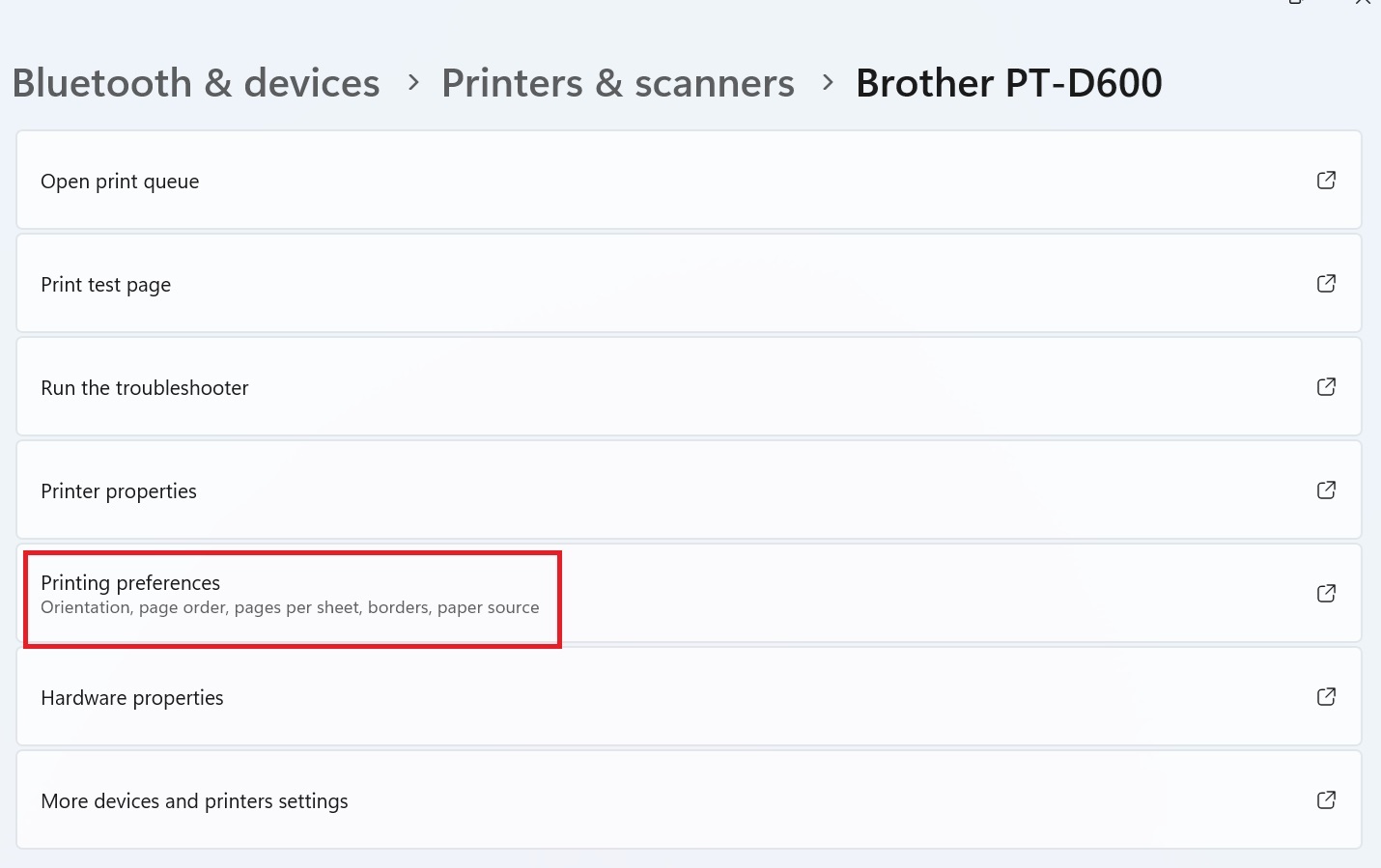
- Click on Printing preferences.
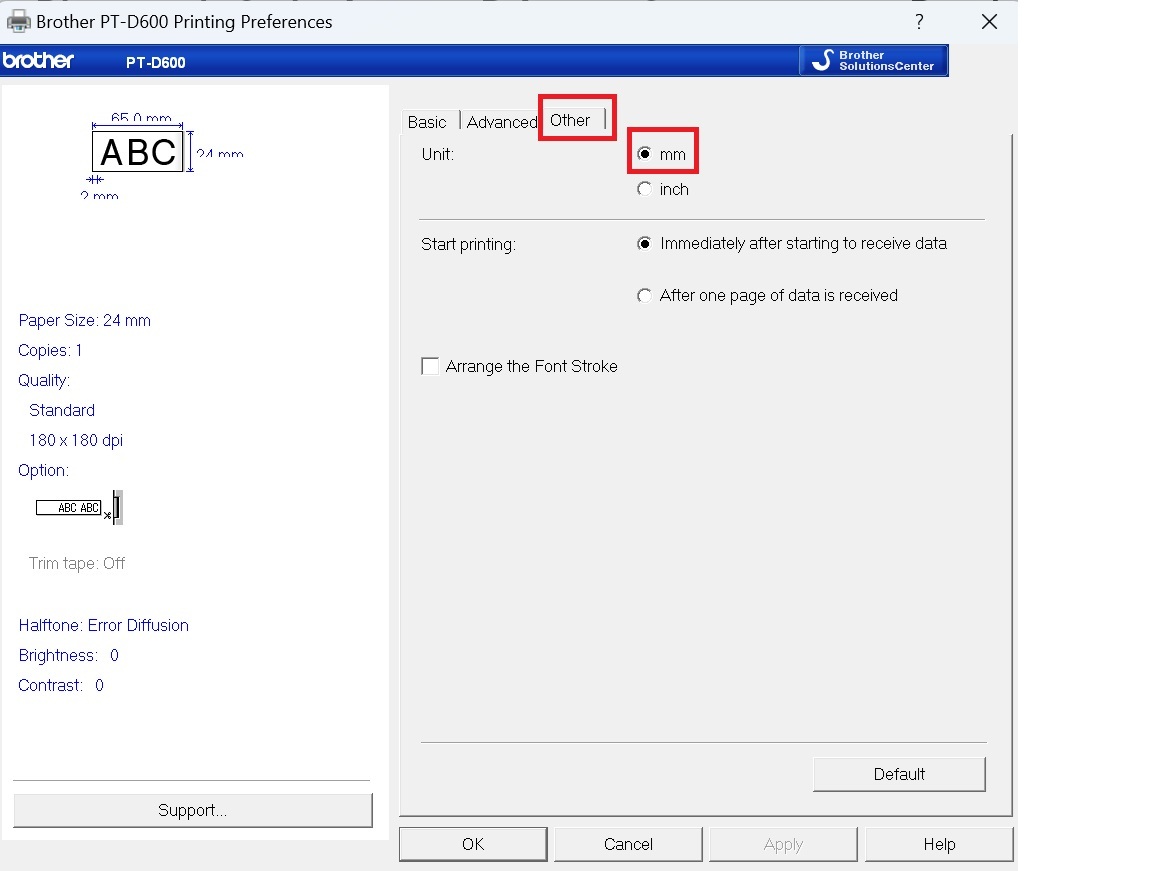
- Find the Other tab and select mm as the unit.
- Go to the Basic tab and set the following:
- Length: 65 mm
- Option: Auto cut
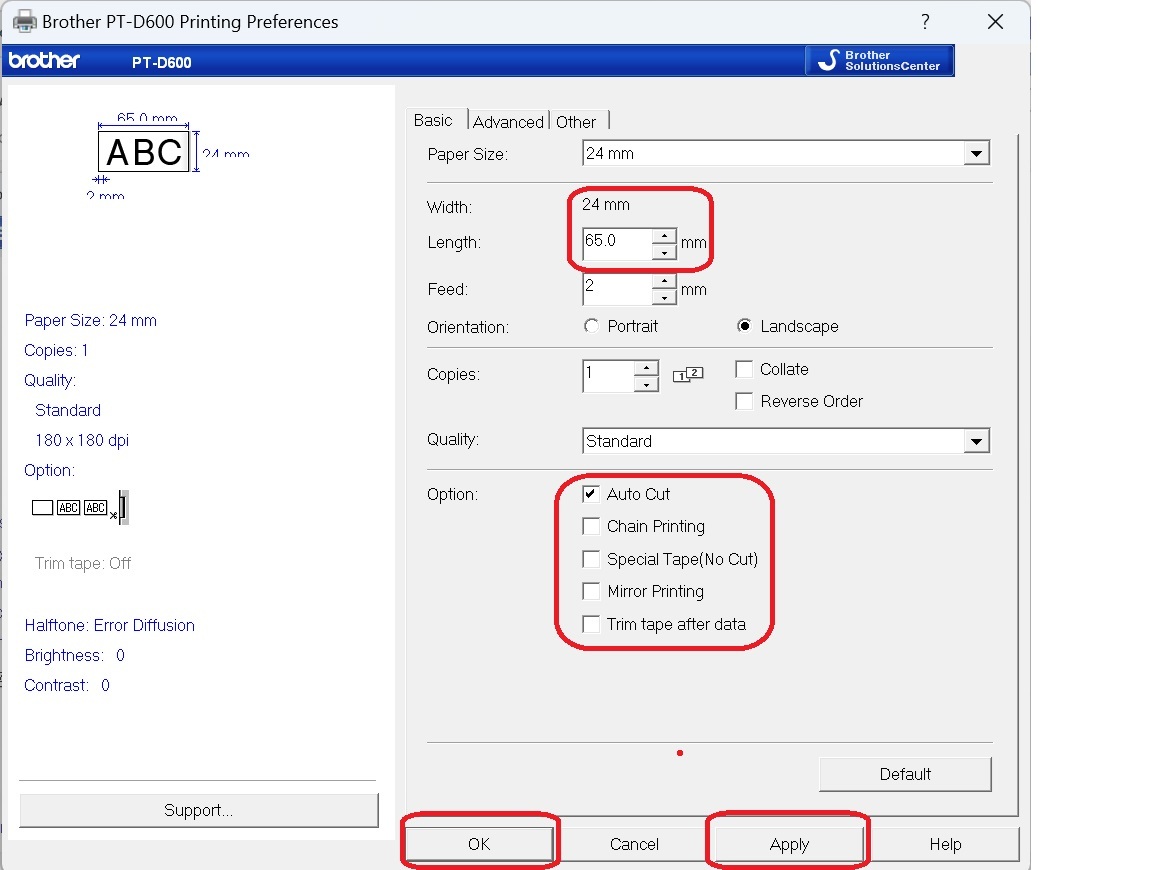
- Click Apply and then OK.
How to print a label in asset management system
- Visit the asset management page: https://asset.geargames.net
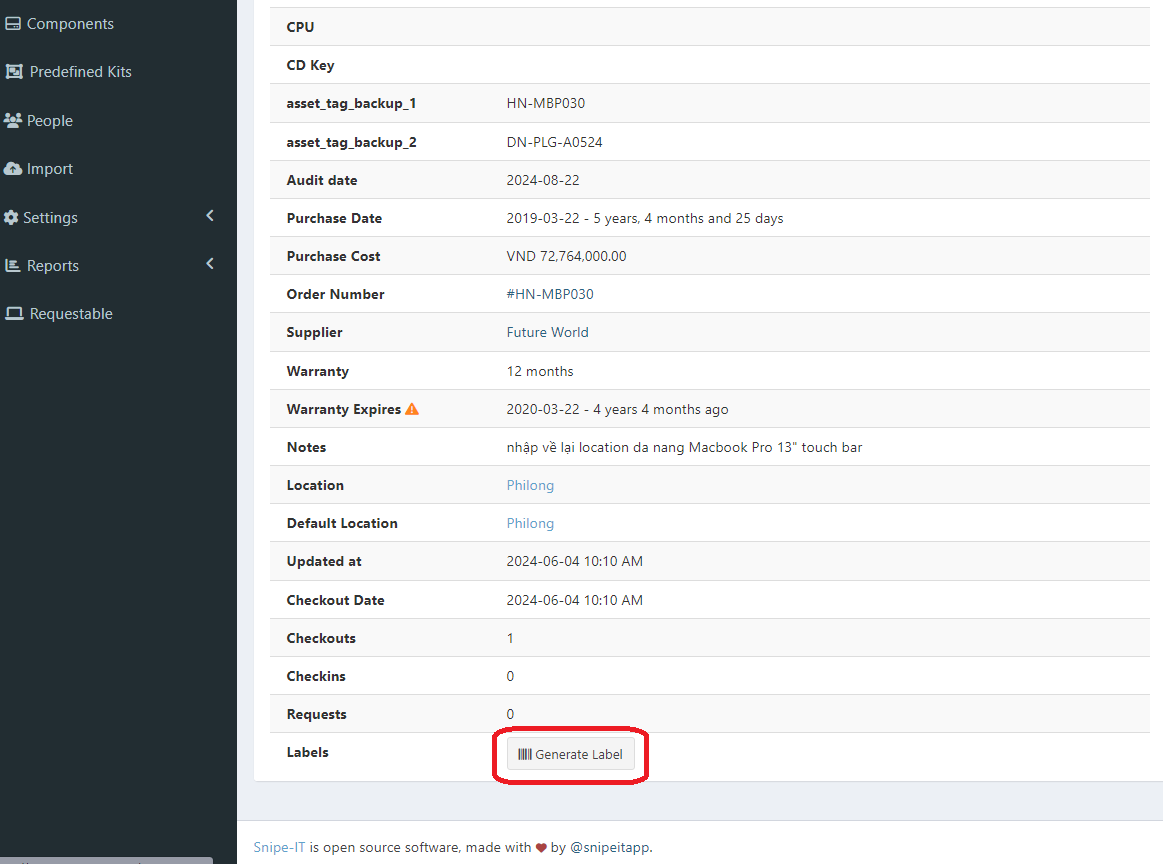
- Find the asset you want to print a label for and scroll down to the bottom, then select Generate Label.
- The software will generate a label for you to print.
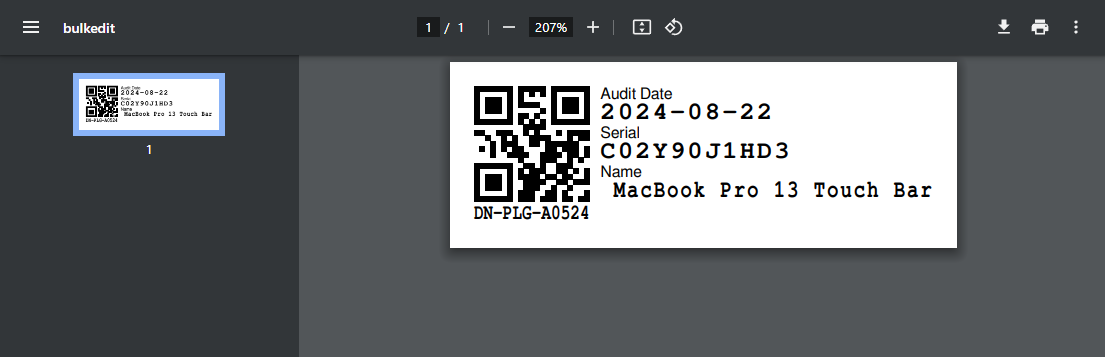
- Press
Ctrl + Pto open the print dialog. Ensure the following settings are correct before printing:- Destination: PT-D600
- Paper size: 24mm
- Quality: 180dpi
- Scale: Default
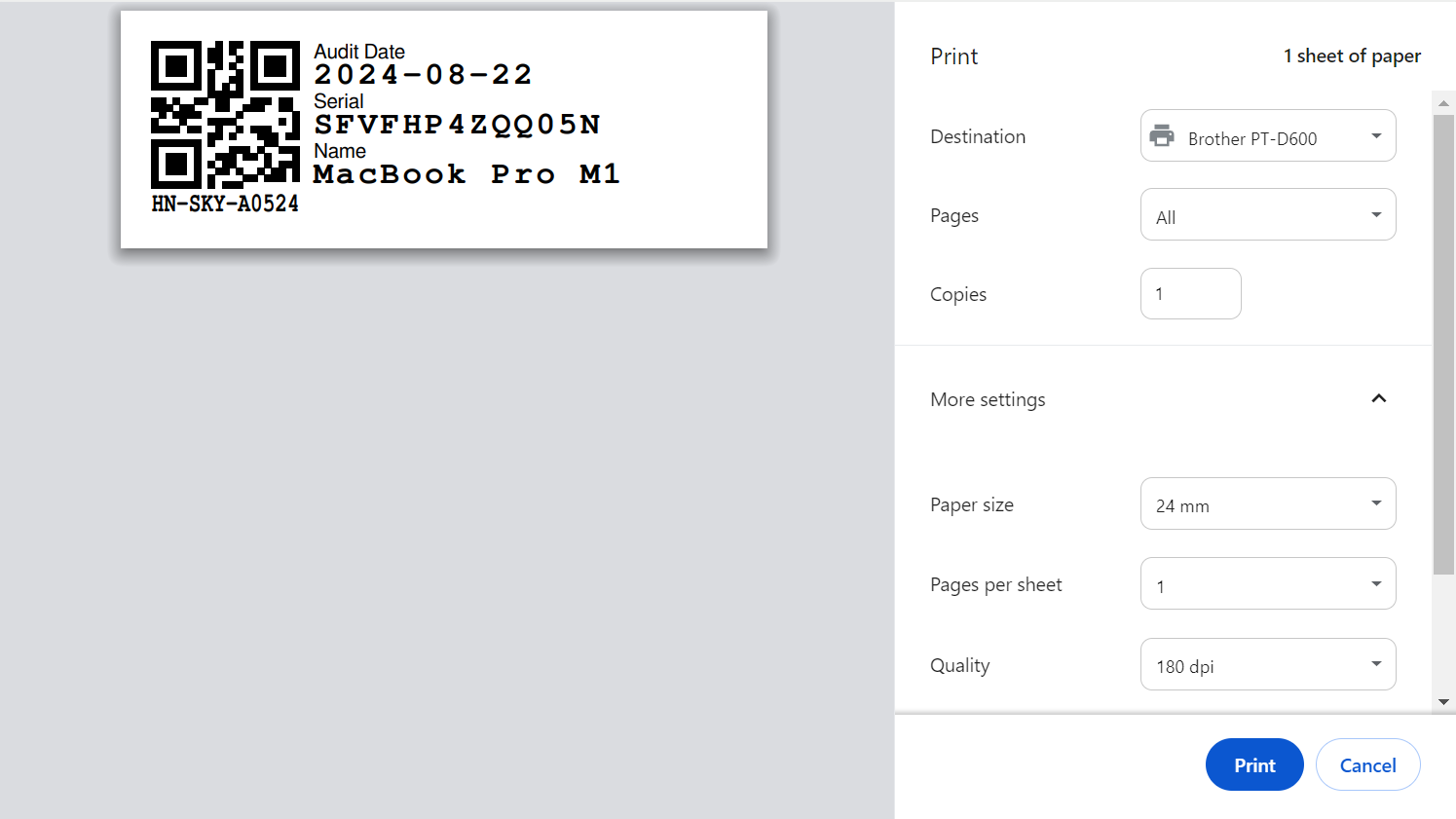
- Click OK to print the label.