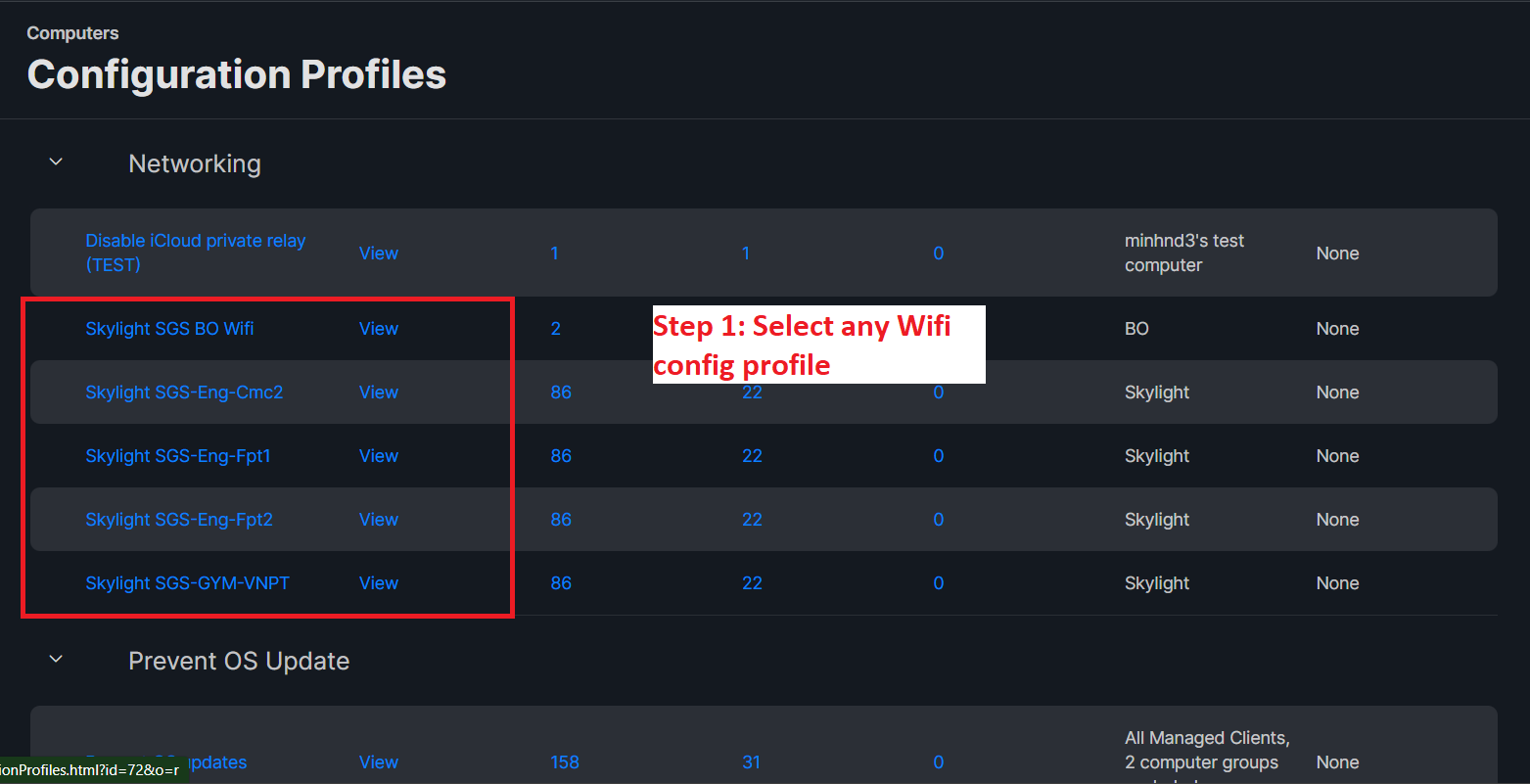
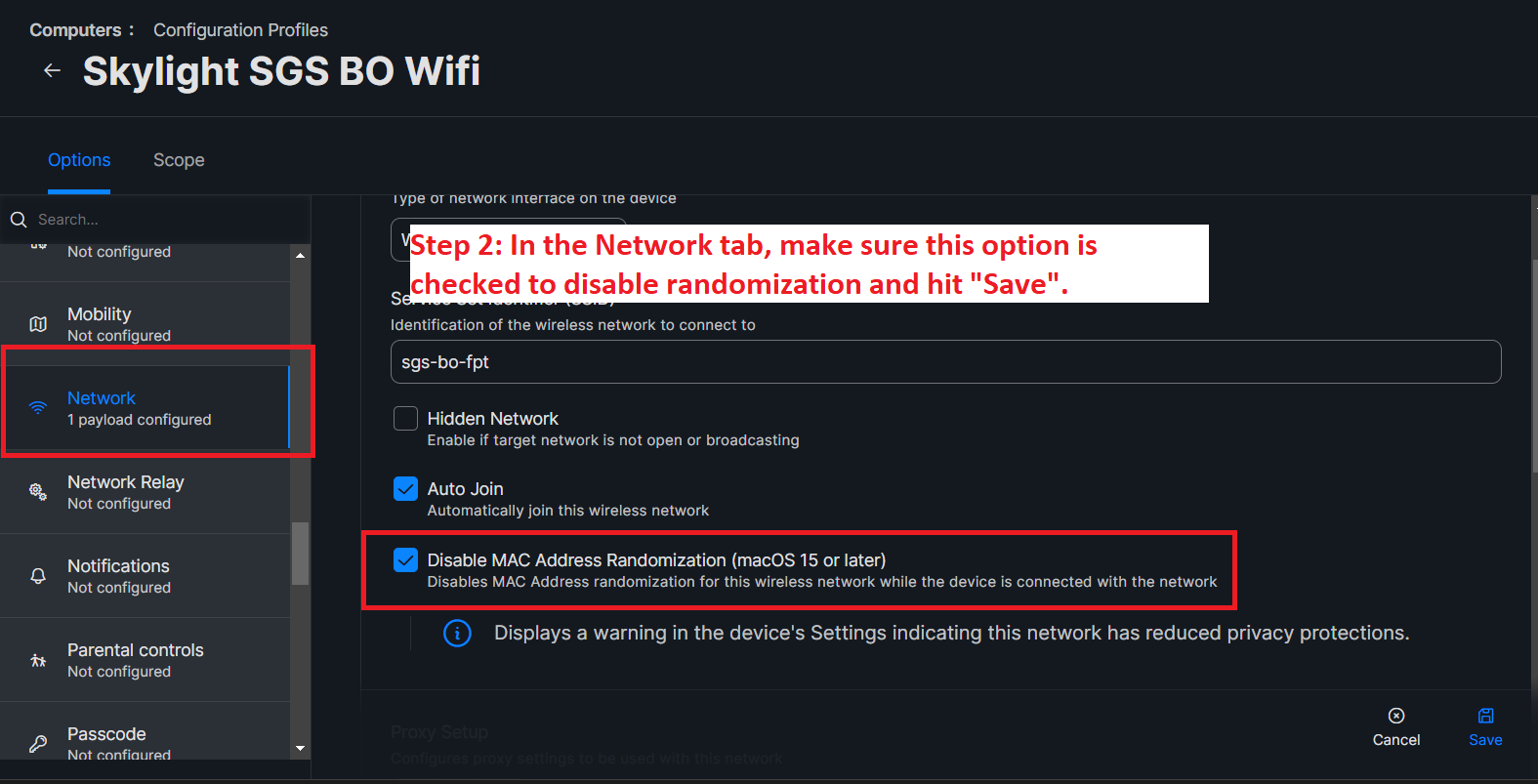
Blocking iCloud Private Relay and Random MAC Address Randomization on macOS 15 and Above
Introduction
**iCloud Private Relay and MAC address randomization are privacy features introduced in macOS to enhance user security and protect your identity. iCloud Private Relay, available to iCloud+ subscribers since macOS 12, encrypts and reroutes your internet traffic through multiple servers. This prevents websites and network providers from seeing your real IP address and location. Similarly, MAC address randomization, introduced in macOS 15, assigns a unique, random MAC address for each Wi-Fi network, making it harder for third parties to track your device.
While these features are great for privacy, they can introduce compatibility issues:
- Website Compatibility: Some websites that rely on IP-based filtering or rate-limiting may not function properly.
- VPN Conflicts: iCloud Private Relay can conflict with VPN apps, preventing them from routing traffic as intended.
- Network Restrictions: On corporate or managed networks, Private Relay might be blocked due to security policies.
- Network Access Issues: Networks that use MAC address filtering to allow access may not recognize randomized addresses, leading to connection failures.
- DHCP Exhaustion: Randomized MAC addresses can cause devices to request multiple IP addresses, especially on large-scale networks.
iCloud Private Relay
To block iCloud Private Relay, create a configuration profile:
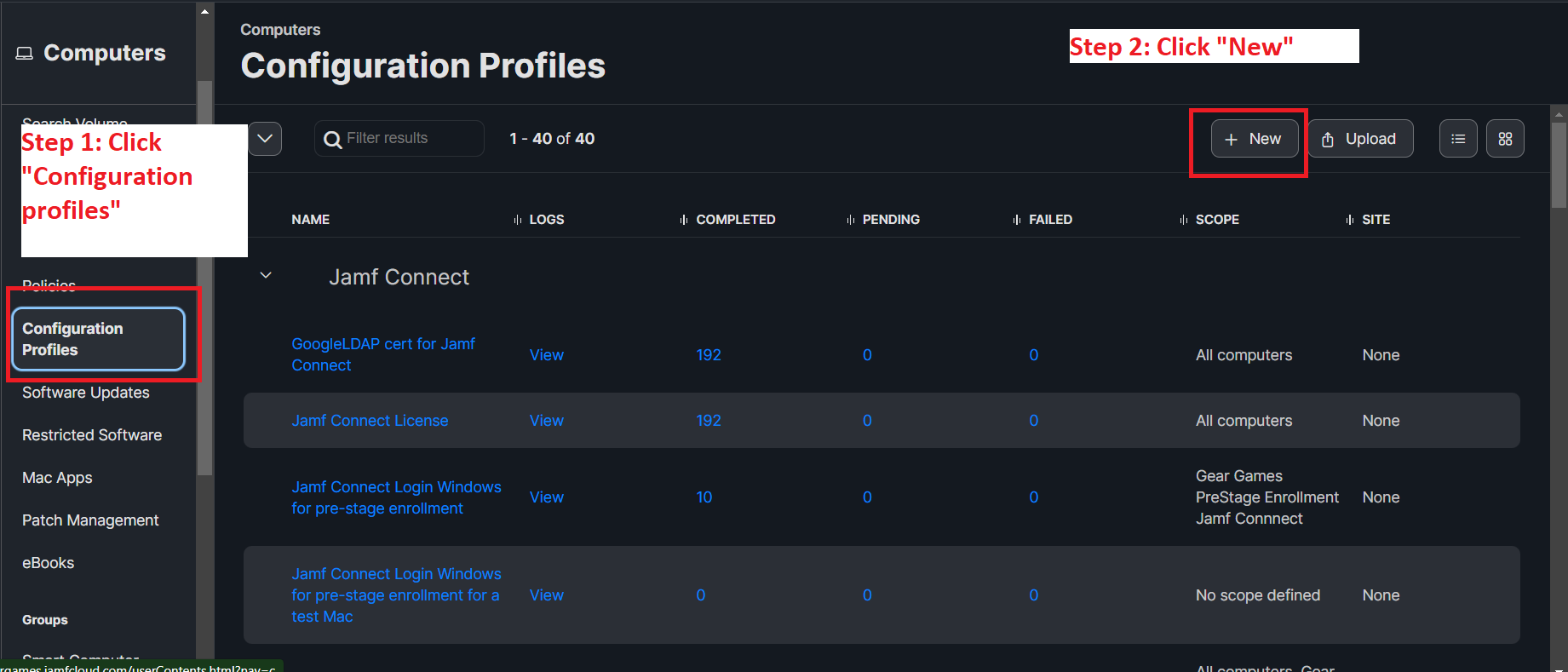
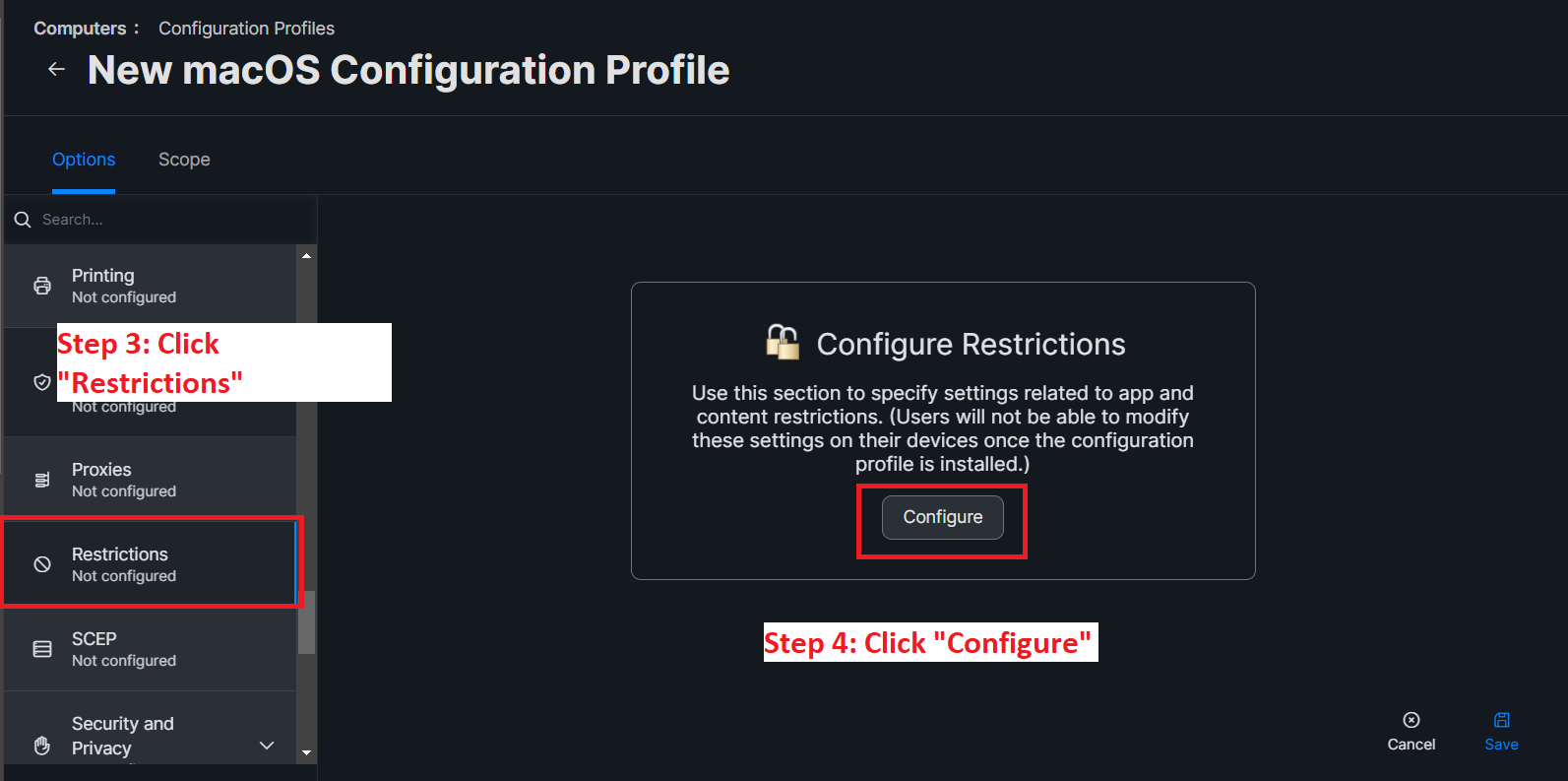
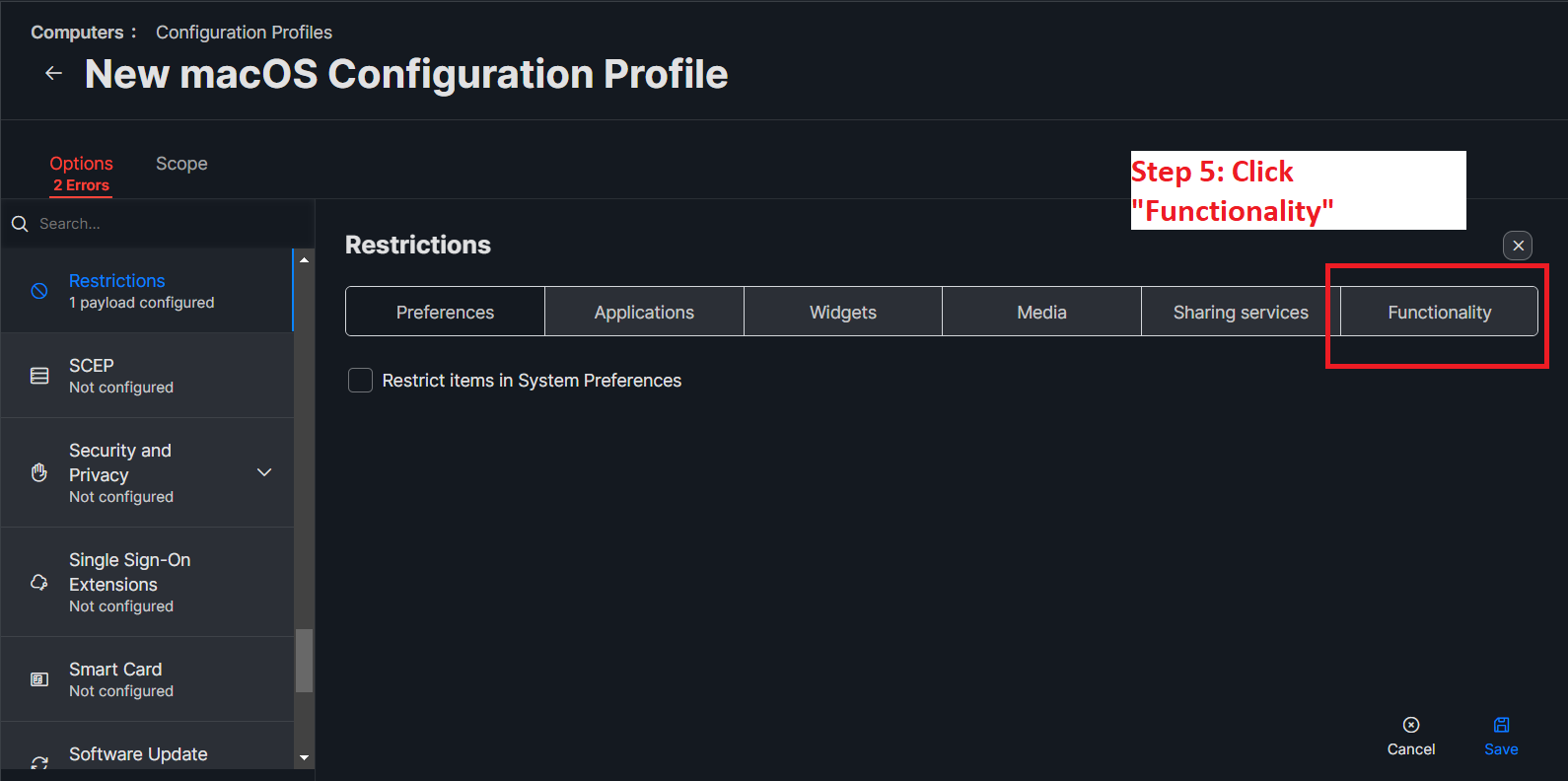
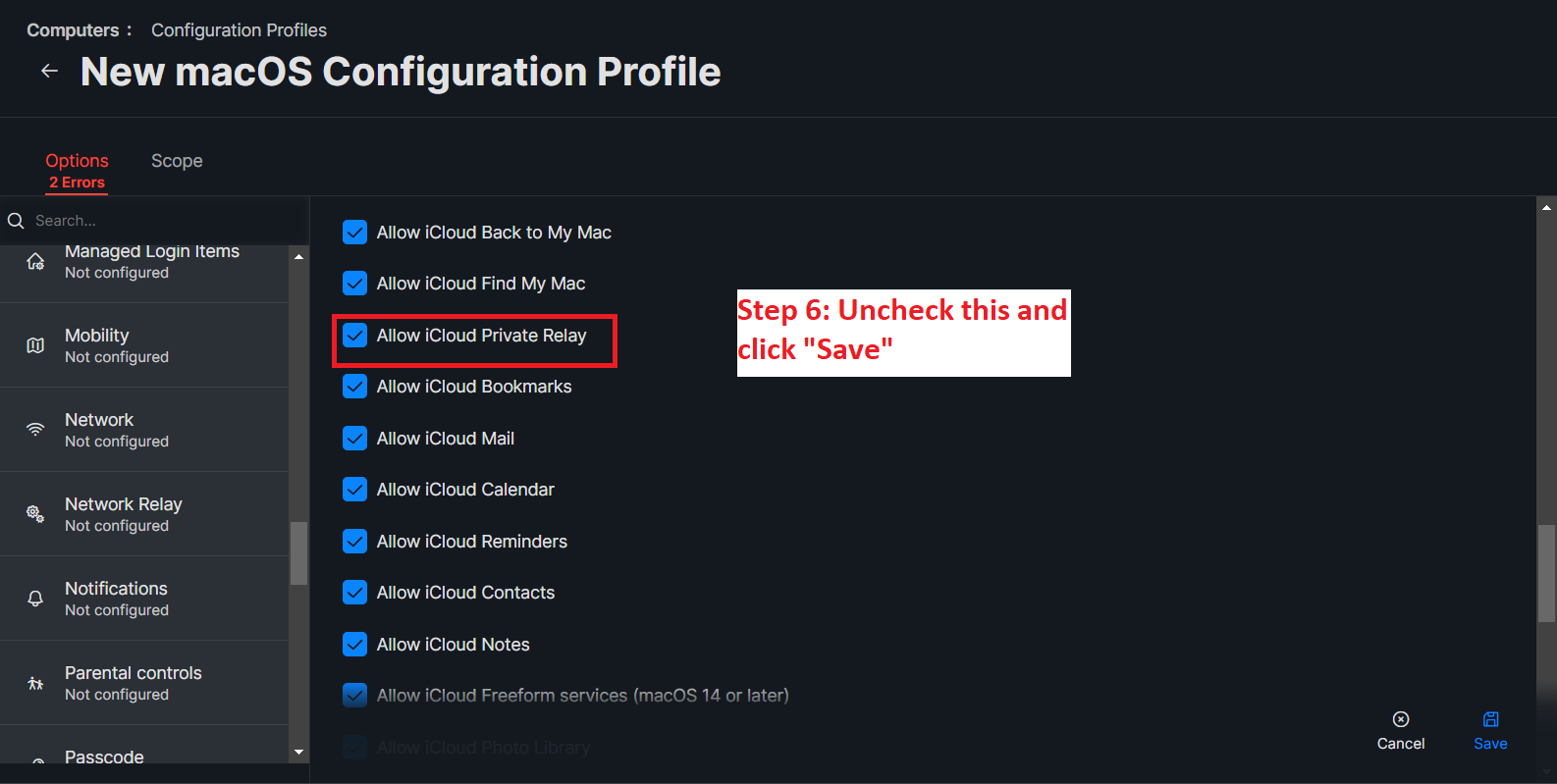
Remember to ensure that other configuration profiles don’t conflict with this one. For example, profiles that also have settings in the "Network" tab configured.
Disable Random MAC Address Randomization